
The Complete Guide to ChatGPT & Codex Models (2026)
A practical guide to GPT-5.6, reasoning effort, Codex, ChatGPT Work, Sites, Skills, and Scheduled Tasks for enterprise teams.
Enterprise Reference Guide
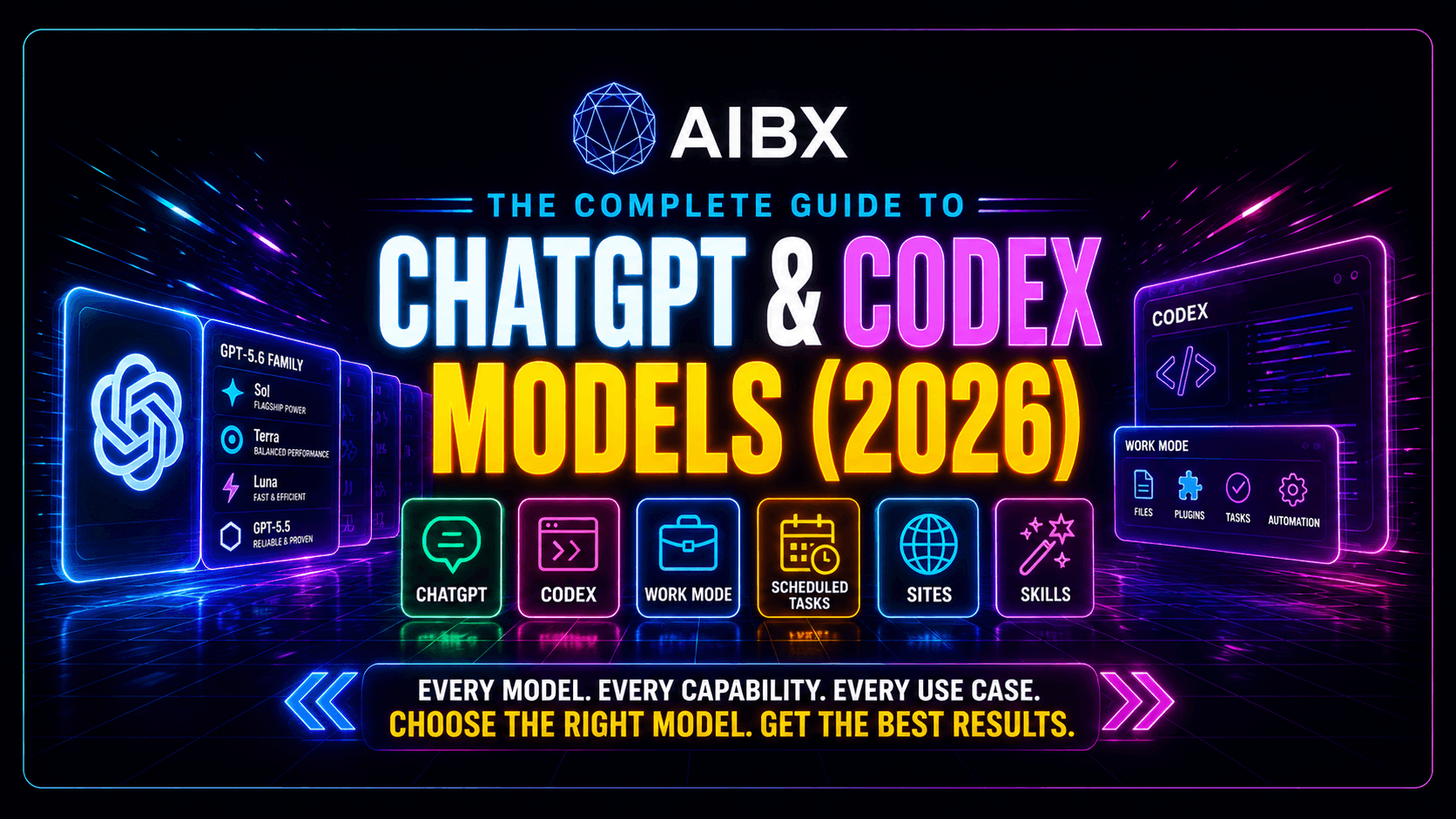
The Complete Guide to ChatGPT & Codex Models
A documentation-grade breakdown of the GPT-5.6 model family, reasoning effort, ChatGPT Work, Codex, Sites, Skills, and Scheduled Tasks — built for organizations that need to understand the platform, not just use it.
Introduction
What changed since GPT-5.5
OpenAI's model lineup has shifted from a single flagship-and-mini structure to a three-tier family model. GPT-5.6 launched on July 9, 2026 as Sol, Terra, and Luna — three durable capability tiers that each advance on their own release cadence, rather than three versions of the same model.
At the same time, the platform around the models grew: ChatGPT Work handles long-running agent sessions, Codex spans CLI, IDE, and cloud surfaces, and features like Sites, Skills, and Scheduled Tasks turn ChatGPT into an operating layer for finished business output, not just a chat window.
This guide exists because those pieces are frequently described inconsistently in press coverage and marketing copy. Every claim below is checked against official OpenAI documentation, and every place where the popular framing overstates what a feature actually does is flagged explicitly.
Why this matters: most organizations are still budgeting and architecting as if "ChatGPT" were one product with one price. It is now a family of models with independently configurable reasoning effort, sitting underneath a platform with three distinct modes (Chat, Work, Codex) and a set of building blocks — Sites, Skills, Scheduled Tasks — that can replace small internal tools entirely. Getting the mental model wrong shows up directly as either overspending on routine work or under-provisioning the tasks that actually need frontier reasoning.
Who should care: engineering leaders deciding which model to route workloads through, operations and IT teams standing up Work-based automation, and finance or leadership stakeholders who need to understand why "the AI bill" varies so much month to month once effort levels and model tiers enter the picture.
A note on sourcing
Every specific figure in this guide — pricing, context windows, reasoning effort levels, feature scoping, and dates — was checked against official OpenAI documentation rather than press summaries or general knowledge. AIBX's own companion model reference sheet (downloadable above) was used to accelerate this process, but never to override it — anywhere its shorthand needed more precision (Max and Ultra as distinct reasoning modes rather than ladder rungs, for example), the correction was made against the official source, not the reference sheet. Anywhere the popular framing of a feature (Work Mode, Codex Desktop, Developer Mode) diverged from what OpenAI actually documents, this guide uses the documented scope and flags the discrepancy explicitly rather than repeating the more common but less precise version.
Executive Summary
The short version: OpenAI's platform is no longer one model behind one chat window. It is a three-tier model family, a separately configurable reasoning dial, three interface modes, and a set of automation building blocks — and each of those layers is a decision point that affects cost, quality, and governance independently of the others.
GPT-5.6 replaced the old single-flagship model with three durable capability tiers — Sol, Terra, and Luna — that can each advance on their own release cadence.
Reasoning effort is a separate dial from model choice. The same model can run cheaper and faster, or slower and more thorough, without switching models.
"Work" is OpenAI's name for long-running, approval-gated agent sessions that produce finished documents, spreadsheets, presentations, and Sites — not a marketing label, an actual mode in the ChatGPT interface.
Codex is no longer a single tool. It is a family of surfaces — CLI, IDE extension, and Codex cloud — that share the same underlying agent and differ mainly in where the work happens.
Some capabilities marketed heavily in press coverage, like Computer Use and Developer Mode, are narrower in official documentation than they sound: read the scope carefully before building a workflow around them.
ChatGPT Atlas, OpenAI's standalone browser, is being discontinued on August 9, 2026. Its agentic browsing features move into the ChatGPT desktop app and a Chrome extension instead.
AIBX Position
Model choice ≠ reasoning effort.
Teams that conflate "which model" with "how much reasoning" end up either overpaying for routine work or under-provisioning the few tasks that actually need the top tier.
Why this matters
Lower AI spend, because routine work stops defaulting to the most expensive tier
Better performance, because the hardest tasks actually get the reasoning depth they need
Smarter architecture, because model and effort become separate, tunable levers
Easier governance, because approval and cost policy can target a specific decision, not a vague "which AI" setting
Enterprise impact
Key takeaway
Treat model selection and reasoning effort as two independent architecture decisions.
The GPT-5.6 Family
Sol, Terra, and Luna
Three tiers within one generation, each following the same Overview / Purpose / Strengths / Limitations / Pricing / Reasoning / Context / Best-fit / Verdict template so they can be compared directly.
GPT-5.6 Sol
Flagship reasoningSol is the frontier model in the GPT-5.6 family, built for the hardest professional workloads: complex coding, security research, and multi-step analysis where correctness matters more than speed or cost. It carries the newest knowledge cutoff in the family, dated February 16, 2026, and is the natural pairing for the Max reasoning mode when a single problem justifies the deepest possible pass.
Use Sol when a task justifies the highest available reasoning quality — architectural decisions, security-sensitive code review, or research synthesis where an error is expensive to catch later. Sol is not meant to be the default model for a whole organization; it is meant to be the model reserved for the smaller set of tasks where getting it wrong is genuinely costly.
Strengths
- Highest reasoning ceiling in the GPT-5.6 family, reaching Extra High effort and pairing naturally with the Max reasoning mode
- Strongest coding and security-research performance in the lineup
- 1,050,000-token context window shared across the whole GPT-5.6 family, so switching to Sol for a hard task does not mean losing context
Limitations
- Most expensive model in the family per token — six times Luna's input price and roughly double Terra's
- Higher effort settings increase latency, which matters for interactive or real-time use
- Overkill for high-volume, low-stakes work; running an entire support queue through Sol at high effort is a common and avoidable cost mistake
Pricing
$5.00 input / $0.50 cached input / $30.00 output per 1M tokens
Reasoning
Full Light/Low–Extra High effort ladder, plus Max mode for the single hardest problems
Context
1,050,000 token context window / 128,000 max output tokens
Who should use it
Engineering leads scoping architecture, security teams reviewing sensitive code paths, and analysts producing research that will inform a high-stakes decision.
Who should not
Teams running high-volume, repetitive workloads — ticket triage, routine summarization, bulk classification — where Terra or Luna deliver the same practical outcome for a fraction of the cost.
Example prompt
"Review this authentication module for privilege-escalation risk, walk through every code path that touches session tokens, and flag anything that would fail a SOC 2 audit."
Enterprise uses
Regulated industries lean on Sol for the small share of work that genuinely needs frontier reasoning: pre-audit code review, incident post-mortems where root cause matters, and architecture decisions that are expensive to reverse. Most deployments route a single-digit percentage of total requests to Sol and treat that as healthy, not as under-utilization.
Best fit
Complex coding, security review, architecture decisions, and research synthesis where accuracy outweighs cost.
AIBX Engineering Verdict
Reach for Sol when the cost of a wrong answer exceeds the cost of the extra tokens. For routine work, Terra is the better default.
GPT-5.6 Terra
Balanced tierTerra is the balanced model in the GPT-5.6 family, priced and tuned for high-volume business tasks: customer support, internal tools, and document analysis at scale. It is the tier most enterprise deployments should default to, with Sol reserved as an escalation path rather than the starting point.
Use Terra as the default model for day-to-day business workloads where consistent quality matters more than squeezing out the last bit of reasoning depth. Most of an organization's AI spend should sit here, not on Sol.
Strengths
- Roughly half the input cost of Sol while retaining strong general reasoning
- Well suited to sustained, high-volume workloads across a team
- Same 1,050,000-token context window as Sol and Luna, so long documents and long support histories are not a bottleneck
Limitations
- Not the right choice for the hardest coding or security-sensitive tasks
- Still supports the same effort range as Sol, but at higher effort the per-token cost advantage over Sol narrows enough that a genuinely hard task is often better routed to Sol instead
Pricing
$2.50 input / $0.25 cached input / $15.00 output per 1M tokens
Reasoning
Full Light/Low–Extra High effort ladder, plus Ultra mode for splittable, parallelizable tasks
Context
1,050,000 token context window / 128,000 max output tokens
Who should use it
Support and operations teams, internal tools built for company-wide use, and anyone summarizing or analyzing documents as a recurring workflow rather than a one-off task.
Who should not
Teams doing security-sensitive coding work, or anyone routing every request through Terra by default without ever checking whether a cheaper Luna call would do the job just as well.
Example prompt
"Summarize the last 20 support tickets from this customer, identify the underlying pattern, and draft a one-paragraph internal note for the account team."
Enterprise uses
Terra typically carries the majority of an organization's day-to-day request volume: internal knowledge assistants, support tooling, document review, and the bulk of Work sessions that produce reports and summaries. It is the tier where consistent quality across a large, varied workload matters more than peak reasoning depth on any single request.
Best fit
Customer support, internal tooling, document analysis, and everyday business workflows run at scale.
AIBX Engineering Verdict
Terra is the default model for most enterprise deployments. Escalate to Sol only for the subset of tasks that actually need it.
GPT-5.6 Luna
Cost-optimizedLuna is the fast, affordable tier in the GPT-5.6 family, designed for routine work at high volume — summarization, drafting, classification, and automation. It shares the same context window as Sol and Terra, so choosing Luna for cost reasons does not force a smaller working memory.
Use Luna for high-frequency, lower-stakes tasks where speed and cost per call matter more than reasoning depth. This is the tier where per-call savings compound the most, because these are also the highest-volume workloads.
Strengths
- Lowest cost per token in the GPT-5.6 family
- Fast responses suited to real-time or high-throughput automation
- Same context window as Sol and Terra, so it is not a stripped-down context experience
Limitations
- Lower reasoning ceiling than Sol or Terra for genuinely hard problems
- Not the right choice for security-sensitive or high-stakes coding tasks
- Quality degrades faster than Terra's when a task turns out to be harder than expected, so pipelines built on Luna need a fallback path to a higher tier
Pricing
$1.00 input / $0.10 cached input / $6.00 output per 1M tokens
Reasoning
Full Light/Low–Extra High effort ladder for its tier; AIBX's reference guide pairs Max and Ultra with Sol and Terra rather than Luna
Context
1,050,000 token context window / 128,000 max output tokens
Who should use it
Automation pipelines running thousands of calls a day, first-pass drafting tools, and classification systems where a human or a higher-tier model reviews the output afterward.
Who should not
Anyone doing security review, complex coding, or any task where a subtly wrong answer would be expensive to catch later — the savings are not worth the risk there.
Example prompt
"Classify this incoming support ticket into one of our eight standard categories and extract the customer's account ID if present."
Enterprise uses
Luna is the workhorse behind high-frequency automation: ticket routing, first-pass content drafts later refined by a human, tagging and classification pipelines, and any Scheduled Task that fires often enough that Terra's per-call cost would add up meaningfully over a month.
Best fit
Summarization, drafting, routine automation, and high-volume classification pipelines.
AIBX Engineering Verdict
Luna is the right default for automation pipelines that run thousands of times a day, where per-call cost compounds fast.
GPT-5.5 and legacy models in context
GPT-5.6 does not erase the rest of the lineup overnight. Older models stay documented and available for a transition period, mainly for teams with integrations that have not migrated yet.
For most organizations, the practical migration question is not "should we move to GPT-5.6" but "which of our integrations are still pinned to an older model, and is that intentional." Pipelines built before July 2026 frequently hard-code a model name; those are the ones worth auditing first, since they will not pick up GPT-5.6's pricing or reasoning improvements until someone updates the configuration. New projects should start on GPT-5.6 by default — there is no cost or capability reason to build new work on GPT-5.5 or GPT-5.4 today.
| Model | Knowledge cutoff | Status | Still relevant for |
|---|---|---|---|
| GPT-5.6 (Sol / Terra / Luna) | Feb 16, 2026 (Sol) | Current flagship family | All new work. This is the model family this guide recommends starting from. |
| GPT-5.5 / GPT-5.5 Pro | Dec 1, 2025 | Previous generation, still documented and available | Existing integrations pinned to GPT-5.5 that have not yet been migrated. Not recommended for new projects. |
| GPT-5.4 / Pro / mini / nano | Earlier 2025 | Prior generation family | Legacy workloads and cost-sensitive pipelines built before GPT-5.6 shipped. |
| GPT-4 series, o1 / o3 | 2024–2025 | Legacy / being phased out of ChatGPT over time | Historical reference only. New work should not target these. |
Model + Effort
Model times effort equals final performance
Every GPT-5.6 model can run at a range of reasoning effort levels. Model choice sets the ceiling; effort level decides how much of that ceiling gets used for a given request.
This is the distinction that budget conversations most often skip. A request at Extra High can run three to five times the cost of the same request at Light/Low, on the same model. At a handful of requests a day that difference is noise. At the volume most enterprise pipelines run — thousands or tens of thousands of calls a month — the effort level, not just the model, becomes one of the largest levers on the monthly bill. The practical implication: effort should be set per workflow, not left at a single global default across an entire organization. There is no exact mapping from GPT-5.5's effort levels to GPT-5.6's — test a familiar task at a lower setting and adjust rather than assuming the old defaults still apply.
Light / Low
Quick, well-scoped tasks. Called "Light" in the ChatGPT desktop app, Work mode, and the IDE extension — "Low" in the CLI. Same rung, different label per surface.
Medium
Balances speed and depth for tasks that need more planning. This is the default effort level under the composer's Power setting.
High
Difficult work with multiple steps, sources, or tradeoffs to weigh.
Extra High
The deepest single-pass setting — hardest work with multiple steps, sources, or tradeoffs, without invoking a separate mode.
Beyond the ladder: Max and Ultra
Max and Ultra are not additional rungs on the effort ladder — they are separate modes that extend a model's reasoning budget in two different directions. Most tasks need neither.
Max
Gives the selected model more time to reason about a single task. Use it for the hardest problems, when depth matters more than speed or usage.
Toggle in app settings if not already shown
Ultra
Uses subagents to handle separate parts of a complex task in parallel — a minimum of four, scaling up to six, eight, or more for highly complex work, then synthesizes their results. Choose it when the work can be divided into meaningful, independent parts.
Settings → Configuration → Ultra in model picker
Both apply across the GPT-5.6 family rather than being exclusive to a single tier, though the practical sweet spot is Sol for Max (the hardest single problem) and Sol or Terra for Ultra (a large task that splits cleanly into independent parts). Because Ultra runs multiple subagents that each generate tokens independently, a single Ultra call can cost several times a standard request — treat it as a deliberate choice for genuinely parallelizable work, not a default.
Relative cost by effort level
These are directional multipliers relative to the same model at its lowest effort setting, not exact figures — the point is the shape of the curve, not a specific number to budget against.
| Effort level | Relative cost | Note |
|---|---|---|
| Light / Low | Baseline (1x) | Quick, well-scoped tasks |
| Medium | ~1.3x–2x baseline | Default under Power; typical for general business tasks |
| High | ~2x–3x baseline | Multi-step reasoning for harder problems |
| Extra High | ~3x–5x baseline | Deepest single-pass setting; measurable quality gain expected |
Worked examples
| Task | Model | Effort | Why |
|---|---|---|---|
| Drafting a routine internal email | Luna | Light / Low | Low stakes, high volume — speed and cost matter more than depth. |
| Summarizing a support ticket queue | Terra | Light – Medium | Needs consistent quality across volume, but not maximum reasoning depth. |
| Reviewing a security-sensitive pull request | Sol | Medium – High | An overlooked issue is expensive; the extra reasoning tokens are worth the cost. |
| Designing a system architecture from scratch | Sol + Max | Extra High | One of the few cases where the deepest single-pass setting is justified by the size of the decision. |
| Migrating a large codebase in independently splittable chunks | Sol / Terra + Ultra | Medium+ | The task decomposes cleanly into parallel parts, so subagents finish faster than one sequential pass would. |
Understanding Work
Long-running, approval-gated agent sessions
Work is a mode in the ChatGPT interface — alongside Chat and Codex — built for tasks that take longer than one exchange: research, document creation, and multi-step projects that need to stay on track for hours at a time.
Long-running sessions
Work stays with a task for hours, breaking it into steps instead of requiring a single prompt-response exchange.
Finished output formats
Produces documents, spreadsheets, presentations, reports, and Sites — not just chat replies.
Cross-app research
Gathers information across connected apps and files before producing a finished deliverable.
Scheduling and reuse
Ties into Scheduled Tasks for recurring runs and Skills or Plugins for reusable packaged workflows.
A representative Work session looks less like a single chat message and more like delegating a task to a junior analyst: a revenue operations team might ask Work to pull the last quarter's churned accounts from connected files, cross-reference them against support ticket history, and produce a formatted slide deck summarizing the top three churn drivers. Work breaks that into research, drafting, and formatting steps, checking in at approval gates along the way rather than returning a single response and stopping.
Approval flow: prompt to finished output
Approval levels
Always ask
ChatGPT checks in before every consequential step. Highest oversight, slowest throughput.
Any changes
Approval is required whenever Work is about to modify a file, document, or external system.
Important actions
Approval is limited to higher-stakes actions, letting routine steps proceed without interruption.
Never ask
Work runs end to end without approval gates. Reserved for well-tested, low-risk workflows.
Governance note
The approval level is a policy decision, not a one-time setup step. Teams that start on "Always ask" while validating a new workflow and only relax to "Any changes" or "Important actions" once the workflow has a track record avoid the most common failure mode: an agent left on "Never ask" quietly taking an action nobody reviewed until a customer or auditor noticed. Ownership of this setting should sit with whoever owns the downstream system Work is writing to, not with whoever happened to configure the task first.
Understanding Codex
One agent, three surfaces
Codex is best understood as a single coding agent that can be reached from different places, not a family of separate products. The table below scopes each surface precisely, including the two capabilities most often overstated in press coverage.
In practice, most engineering teams move between surfaces within a single task rather than picking one permanently: a developer might start a refactor in the IDE extension for quick, file-scoped edits, hand off a longer-running migration to Codex cloud so it keeps working in the background, and then rely on the GitHub integration to review the resulting pull request automatically before a human approves it. The surfaces share state and context, which is what makes that handoff practical instead of three disconnected tools.
| Surface | Official scope | Watch out for |
|---|---|---|
| CLI | Terminal tool for local repository work: inspect, edit, and run code, run `codex exec` for scripting and CI, `codex review` for diff review, resumable sessions, and MCP server connections. | None — this is the most fully documented and stable surface. |
| IDE extension | Official extension for VS Code, Cursor, and Windsurf, with native integrations for Xcode and JetBrains IDEs. Pulls in open files and selections as context, with in-place diff review. | It is one extension across multiple editors, not a separate product per IDE. |
| Codex cloud | Runs tasks in isolated cloud sandboxes with configurable per-repo environments. Integrates with GitHub, Linear, and Slack, and can open pull requests directly. | This is the correct term for remote execution — there is no separately branded "Codex desktop app." Desktop access happens through the shared ChatGPT desktop app. Codex cloud also currently runs a fixed default model that cannot be changed per chat — as of this writing that default is GPT-5.5, not a GPT-5.6 tier, so don't assume Sol/Terra/Luna-level cost or behavior for cloud-run tasks. |
| Git and PR review | The GitHub integration lets `@codex review` trigger a review on a pull request, honoring repo-level AGENTS.md guidance and flagging P0/P1 issues. Follow-up comments like "fix the P1 issue" trigger a fix. | A dedicated GitHub Action (openai/codex-action) also runs codex exec in CI pipelines directly. |
| Computer use | Lets the agent operate a real desktop GUI on macOS or Windows — screenshots plus keyboard and mouse control — for cases where no CLI or API path exists. | This is shared between ChatGPT Work and Codex, not a Codex-exclusive capability. It requires explicit OS permissions and per-use approval. |
| Developer mode | A browser-settings toggle ("Enable full CDP access") that grants Chrome DevTools Protocol access — console output, network traffic, DOM state — inside the Codex/ChatGPT in-app browser. | This is scoped narrowly to browser debugging. It is not a general "Codex developer mode" that changes overall agent behavior, despite how the phrase reads. |
Platform & access availability
Not every model is available on every surface yet. The gap most teams miss: Codex cloud currently runs a fixed default model — as of this writing that's GPT-5.5, not any GPT-5.6 tier — and it cannot be changed per chat.
| Model | ChatGPT desktop | ChatGPT web | Codex CLI | Codex IDE | Codex cloud | API |
|---|---|---|---|---|---|---|
| 5.6 Sol | ✓ | ✓ | ✓ | ✓ | ✗ | ✓ |
| 5.6 Terra | ✓ | ✓ | ✓ | ✓ | ✗ | ✓ |
| 5.6 Luna | ✓ | ✓ | ✓ | ✓ | ✗ | ✓ |
| 5.5 | ✓ | ✓ | ✓ | ✓ | ✓ | ✓ |
| 5.3 Codex Spark | ✓ | ✗ | ✓ | ✓ | ✗ | ✗ |
Also worth knowing: GPT-5.3-Codex-Spark
Codex Spark is a separate, smaller research-preview model built for real-time coding iteration — over 1,000 tokens per second on partner hardware, with a 128,000-token context window, text-only. It's available on ChatGPT desktop, Codex CLI, and the IDE extension for ChatGPT Pro users, but not on the web, Codex cloud, ChatGPT credits, or the API. A common pattern: plan a change with Sol or Terra, then switch to Codex Spark to implement it with near-instant feedback. Separately, `gpt-5.2` and `gpt-5.3-codex` (the non-Spark base model) are deprecated in Codex under ChatGPT sign-in — update any script or config still pointing at them.
Work vs. Codex: a quick disambiguation
Both modes are agents, both can run long sessions, and both can use Computer Use — which is exactly why the two get confused. The practical difference is output type, not underlying sophistication.
| Dimension | Work | Codex |
|---|---|---|
| Primary output | Documents, spreadsheets, presentations, Sites | Code changes, diffs, pull requests |
| Typical surface | ChatGPT web, mobile, desktop | CLI, IDE extension, Codex cloud |
| Governance hook | Approval levels (Always ask → Never ask) | AGENTS.md rules, PR review gates |
Adoption pattern
Teams tend to adopt Codex in a predictable order: the CLI or IDE extension first, for individual developer productivity; the GitHub integration second, once there is enough trust to let `@codex review` post directly on pull requests; and Codex cloud last, once background/parallel task execution is worth the extra environment configuration. Skipping straight to broad Codex cloud usage before individual developers have built trust in the CLI or IDE workflow is a common source of early friction — the failure mode is usually organizational trust, not the tool itself.
Go deeper
This section covers what each Codex surface is and when to reach for it. For hands-on setup and workflow detail, see OpenAI Codex Explained, the beginner setup guide, and using Codex inside VS Code.
Sites, Skills & Scheduled Tasks
Work's building blocks
Sites
Chat-driven creation of interactive websites and lightweight apps — dashboards, project trackers, internal portals, prototypes — created inside Work or Codex and published from the same interface.
Rolling out on paid plans, excluding Free and Go; not available in the EEA, Switzerland, or UK at launch.
Example: describing a project-status tracker in chat and getting a shareable internal dashboard back, without opening a separate app-building tool.
Skills
Reusable, shareable workflows that package instructions, examples, and code so ChatGPT performs a specific task the same way every time. Installed skills are invoked automatically when relevant.
Uploaded skills go through a security scan with three possible states: available, needs review, or blocked.
Example: a legal team packages its standard contract-review checklist as a Skill so every reviewer's ChatGPT session applies the same criteria automatically.
Scheduled Tasks
Runs an instruction once or on a recurring schedule, delivering results by push notification or email. Includes monitoring tasks that watch for meaningful changes rather than reporting constantly.
Available on Plus, Pro, Business, and Enterprise plans across web, mobile, and desktop.
Example: a weekly competitor-pricing monitor that only sends a notification when a tracked price actually changes, instead of a report every week regardless of new information.
Desktop & Browser
One desktop app hosts Chat, Work, and Codex
The ChatGPT desktop app for macOS and Windows surfaces all three modes in one place, with a built-in browser, Computer Use, Voice Mode, and — on macOS — a Companion Window for working alongside other apps.
AIBX Insight — time-sensitive
ChatGPT Atlas, OpenAI's standalone browser, is being discontinued on August 9, 2026.
Atlas launched October 21, 2025 as a separate browser product. OpenAI has since concluded that the browser is a feature, not a destination, and is folding Atlas's agentic browsing capabilities into the ChatGPT desktop app and a Chrome extension instead. Any workflow built around Atlas specifically should migrate before the shutdown date. Browser Developer Mode, described below, now lives in this consolidated surface rather than in Atlas.
For most organizations this consolidation is a net simplification: one desktop surface to configure, one set of permissions to manage, and one place for IT to apply browser-use policy instead of two. The practical action item is narrow — audit any internal documentation, bookmarks, or training material that specifically references "Atlas" as a separate app, and update it to reference the ChatGPT desktop app's built-in browser instead, ideally before the August 9 cutoff rather than after users start hitting a dead product.
Atlas migration checklist
Export or save any Atlas-specific bookmarks, saved pages, or session data before August 9, 2026.
Update internal documentation and runbooks that reference "Atlas" to point at the ChatGPT desktop app's built-in browser instead.
Re-test any agentic browsing workflow that depended on Atlas-specific behavior inside the new desktop app browser.
Review who has Developer Mode (CDP access) enabled and confirm it still matches actual need, since this is a natural checkpoint to tighten access.
Confirm the `browser_use_full_cdp_access` workspace policy reflects the intended default before the cutover, not whatever was previously set for Atlas.
Strategic Implications
What this changes operationally
Business impact
AI spend is no longer a single line item tied to seat count. It now scales with model tier and effort level chosen per workflow, which means cost forecasting has to happen at the workflow level, not the organization level.
Workflow impact
Work and Scheduled Tasks make it realistic to replace small internal tools — a recurring report, a status digest, a lightweight tracker — with a configured agent instead of a custom-built application, shifting some build decisions from engineering backlogs to prompt and approval-policy design.
Organizational impact
Approval levels in Work and permission gating around Computer Use and Developer Mode mean governance decisions — who can enable full CDP access, who can set an agent to "never ask" — now belong with IT and security, not left as a default users configure themselves.
Implementation considerations
Because Atlas is being folded into the ChatGPT desktop app by August 9, 2026, any workflow or documentation referencing Atlas specifically needs updating now rather than after the shutdown date, to avoid broken internal runbooks.
Model Selection Framework
Choosing the right model
1. Accuracy first
Start by asking whether the task can tolerate an error. Security review, architectural decisions, and anything customer-facing should default to the highest reasoning tier the budget allows.
2. Cost second
Once a minimum accuracy bar is set, choose the cheapest model and effort level that clears it. This is where most of Terra and Luna's value shows up — high-volume workloads at a fraction of Sol's cost.
3. Latency third
Only after accuracy and cost are settled should latency drive the final choice — for example, favoring medium effort over high in an interactive tool where users are waiting on a response.
Worked example
A support organization triaging 5,000 tickets a day starts by setting the accuracy bar: misclassifying a billing dispute is costly, but misclassifying a routine password reset request is not. That splits the workload — Luna at low effort handles the bulk of routine tickets, while anything flagged as billing- or security-related routes to Terra at medium effort for a closer read. Sol never enters this pipeline at all, because nothing in a support queue justifies its cost at this volume. The same three-step framework applied to a security code review would reverse the conclusion entirely and start at Sol.
Enterprise Recommendations
Guidance by team
Engineering teams
Standardize on Codex CLI and the IDE extension for day-to-day work, escalate to Codex cloud for longer background tasks, and require `@codex review` on pull requests touching sensitive paths. Configure AGENTS.md at the repo level so review behavior is consistent across the team instead of depending on individual defaults, and track what share of pull requests get an automatic review versus a manual one as an early signal of adoption health.
Operations and support
Use Terra as the default model for ticket summarization and internal tooling, with Scheduled Tasks handling recurring reports instead of manual daily pulls. Reserve Luna specifically for the highest-volume, lowest-stakes steps in a pipeline — first-pass ticket classification, not the final response a customer sees — and route anything a classifier flags as ambiguous up to Terra rather than letting a low-confidence Luna answer go out unreviewed.
IT and security
Treat Computer Use and Developer Mode as privileged capabilities: gate them behind explicit approval, and review the `browser_use_full_cdp_access` policy before enabling browser debugging workspace-wide. Build the Atlas-to-desktop-app migration into existing change-management processes rather than treating it as a one-off cleanup task, since it touches permissions, bookmarks, and any automation that assumed a standalone browser.
Leadership and strategy
Model selection is now a cost lever, not just a quality lever. Budget conversations should specify model and effort level together, not "which AI" in the abstract. Ask teams requesting Sol-tier access by default to justify it against the accuracy-cost-latency framework in this guide rather than approving it as a blanket upgrade — the cost delta between defaulting an entire workload to Sol versus routing only the subset that needs it is often the single largest AI line-item lever available.
Enterprise Workflow Scenarios
How this looks in practice
The framework above is abstract until it is applied to an actual workload. These three composite scenarios — not benchmarks, illustrations of how the pieces combine — show model, effort, surface, and governance decisions working together.
Support operations at scale
Setup
A 200-person support organization handles 8,000 tickets a day across billing, technical, and general inquiries.
Approach
Luna at low effort performs first-pass classification and drafts a suggested response for routine tickets. Anything touching billing disputes or account security escalates automatically to Terra at medium effort, where a human reviews before sending. Scheduled Tasks generate a daily digest of ticket volume and category trends for team leads, replacing a manual spreadsheet pull.
Outcome
The team spends its Sol budget on essentially nothing, keeps Terra usage focused on the roughly 20% of tickets that actually carry risk, and eliminates a recurring manual reporting task entirely.
Engineering security review
Setup
A fintech engineering team needs every pull request touching payment or authentication code reviewed for security issues before merge.
Approach
The GitHub integration runs `@codex review` automatically on any PR matching those paths, configured through AGENTS.md to apply Sol at high effort specifically for this rule set, while routine PRs elsewhere in the repo use the IDE extension's lighter default. P0/P1 findings block merge until addressed.
Outcome
The team gets Sol-level scrutiny exactly where an error is expensive, without paying Sol pricing on every commit across the entire codebase.
IT-managed browser automation
Setup
An operations team previously used Atlas to run a set of agentic browsing tasks against internal web tools that have no API.
Approach
IT migrates the workflow to the ChatGPT desktop app's built-in browser ahead of the August 9, 2026 Atlas shutdown, re-enabling Developer Mode's CDP access only for the specific accounts that need deep debugging, and leaving it off by default workspace-wide through the `browser_use_full_cdp_access` policy.
Outcome
The workflow keeps running with no functional gap, and the team ends up with tighter, more deliberate access control than the original Atlas-based setup had.
Research and reporting for leadership
Setup
A strategy team needs a recurring competitive-landscape briefing pulled together from multiple sources every Monday morning.
Approach
A Work session, run as a Scheduled Task, gathers information across connected files and monitoring sources, and produces a formatted one-page report and a companion Sites dashboard for anyone who wants to dig into the underlying data. Approval level is set to "Any changes," since the output is informational rather than an action taken on another system.
Outcome
Leadership gets a consistent, low-effort briefing without a team member spending Monday morning assembling it manually, and the underlying dashboard is reusable rather than a one-off document.
Frequently Asked Questions
Is GPT-5.6 a replacement for GPT-5.5?
Yes, for new work. GPT-5.5 remains documented and available for existing integrations, but GPT-5.6's three tiers (Sol, Terra, Luna) are the current recommended starting point.
What is the actual difference between Sol, Terra, and Luna?
They are not different generations — they are three durable capability tiers within the same GPT-5.6 generation, differentiated by price and reasoning ceiling: Sol for the hardest problems, Terra for balanced high-volume work, and Luna for cost-sensitive routine tasks.
Does a higher reasoning effort always produce a better answer?
It produces more thorough reasoning, which usually improves quality on genuinely hard problems. On simple tasks it mostly adds cost and latency without a meaningful quality gain, which is why effort should be matched to the task, not maximized by default.
Is Codex a single product?
No. Codex is a shared agent accessed through multiple surfaces — the CLI, an IDE extension, and Codex cloud for remote execution — plus a GitHub integration for pull request review. There is no separately branded Codex desktop app.
What does "Developer Mode" actually enable?
In official documentation, Developer Mode is a browser-settings toggle that grants Chrome DevTools Protocol access for debugging inside the Codex or ChatGPT in-app browser. It does not broadly change how Codex behaves outside of that browser debugging context.
What is happening to ChatGPT Atlas?
OpenAI is discontinuing Atlas, its standalone browser, on August 9, 2026. Its agentic browsing capabilities are being folded into the ChatGPT desktop app and a Chrome extension instead of remaining a separate product.
What is the difference between ChatGPT Work and Codex?
Work is the general long-running agent mode for research and finished-document production (reports, spreadsheets, presentations, Sites). Codex is the coding-focused agent, accessed through the CLI, IDE extension, and Codex cloud. Both can use Computer Use, and both live inside the same ChatGPT surfaces.
How should a team decide between Sol, Terra, and Luna?
Apply accuracy first, cost second, latency third: set the minimum acceptable quality bar for the task, then pick the cheapest model and effort level that clears it, and only then optimize for response speed.
What is the safest way to enable Computer Use or Developer Mode in an enterprise setting?
Treat both as privileged capabilities rather than defaults. Computer Use requires explicit OS-level permissions and per-use approval; Developer Mode's Chrome DevTools Protocol access can be disabled workspace-wide through the browser_use_full_cdp_access policy. Enable them for specific teams with a clear need, not organization-wide by default.
How often will this guide be updated?
New models and features are meant to be added as new rows in the model tables and new cards in the relevant sections, not as a full rewrite. Given how frequently OpenAI has shipped changes through 2026, expect this guide to be revisited whenever a new model tier, Codex surface, or Work feature ships.
Bonus
Every current OpenAI model, grouped
A concise reference for the full lineup as of this article's last update. This table is the intended update point for future revisions — new models get a new row, not a rewrite of the guide.
| Category | Models |
|---|---|
| Frontier / General | GPT-5.6 Sol, GPT-5.6 Terra, GPT-5.6 Luna, plus the still-available GPT-5.5 and GPT-5.5 Pro. This is the tier for general-purpose reasoning, writing, and analysis across both ChatGPT and the API. |
| Prior generation | GPT-5.4, GPT-5.4 Pro, GPT-5.4 mini, and GPT-5.4 nano remain documented for teams with integrations built before GPT-5.6 shipped, but are not the recommended starting point for new work. |
| Coding-specialized | GPT-5.3-Codex-Spark is the current research-preview, real-time coding model (ChatGPT Pro, CLI/IDE/desktop only). The base gpt-5.3-codex and gpt-5.2 are deprecated in Codex under ChatGPT sign-in — treat any config still targeting them as due for an update. |
| Image | GPT Image 2 handles image generation and editing requests across ChatGPT and the API. |
| Audio / Realtime | GPT-Realtime-2.1 powers low-latency voice and realtime conversational use cases, including ChatGPT's Voice Mode. |
| Embeddings | OpenAI's text embedding model family supports search, retrieval, and similarity workloads that sit underneath many enterprise RAG and knowledge-base implementations. |
| Open-weight | gpt-oss-120b and gpt-oss-20b are OpenAI's openly licensed weight releases, intended for self-hosted or fine-tuned deployments outside OpenAI's own infrastructure. |
| Legacy / being phased out | The GPT-4 series, o1, o3, and earlier GPT-5.1 checkpoints are retained for historical reference and backward compatibility, but should not be the basis for new implementation work. |
Related Reading
Useful follow-up articles on this site
For a head-to-head on the two leading assistants, read Claude vs ChatGPT.
For the equivalent breakdown of Anthropic's model family, read Understanding Claude Models.
For a broader market view, read Top AI Chat Platforms in 2026.
Turn insight into workflow
Need help applying this inside real operations?
AIBX helps individuals and teams turn AI knowledge into governed workflows, reusable prompts, and practical implementation systems.
Related Articles
Continue Reading
Comparisons & Buying Guides
Claude vs ChatGPT for Business | AIBX
A practical enterprise comparison of Claude and ChatGPT across writing, coding, reasoning, workflow automation, and business adoption.
AI Tools & Platforms
ChatGPT and Claude Ecosystems Explained
A practical enterprise map of ChatGPT, Claude, models, coding agents, APIs, tools, and the architecture behind AI workflows.
AI Tools & Platforms
Understanding Claude Models: Speed, Reasoning & Tokens
A systems-level breakdown of Claude models, including Haiku, Sonnet, Opus, token usage, context windows, latency, and reasoning tradeoffs.
AI Coding
What Is OpenAI Codex? | AIBX
See how OpenAI Codex works as an autonomous software engineering agent across CLI, IDE, cloud, and enterprise workflows.