

What Is Terraform? Infrastructure as Code Explained
Learn what Terraform is, how Infrastructure as Code works, and why it matters for DevOps and cloud automation.
Executive Summary
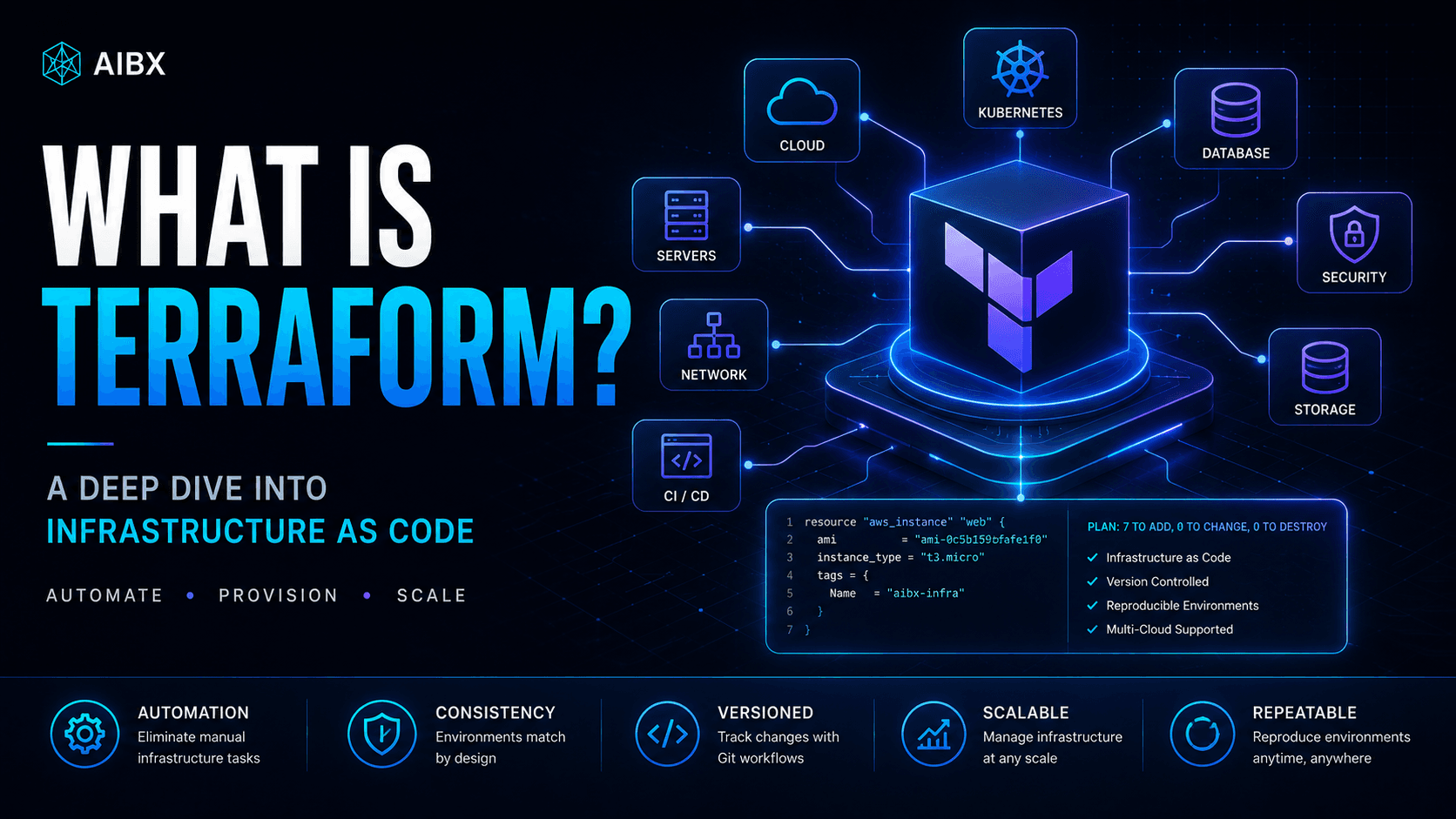
Terraform is an Infrastructure as Code platform used to define, provision, and manage cloud infrastructure through declarative configuration files. Instead of building infrastructure manually in cloud dashboards, teams describe the infrastructure they want and let Terraform calculate how to create or update it.
That matters because modern systems no longer run on a single server. Production applications often depend on virtual machines, managed databases, serverless functions, networking layers, security groups, load balancers, Kubernetes clusters, CI/CD pipelines, and observability tools.
For enterprise AI teams, Terraform is becoming especially important. AI infrastructure may involve GPU capacity, model-serving systems, vector databases, cloud storage, private networking, Kubernetes, and deployment automation. Terraform gives those systems a repeatable operational foundation.
What Is Terraform?
Terraform is a tool developed by HashiCorp that allows engineering teams to manage infrastructure using code. A Terraform project defines resources such as servers, databases, networks, storage, permissions, Kubernetes clusters, and third-party platform settings in configuration files.
In simple terms, you describe the infrastructure you want, and Terraform builds and manages it automatically. If the configuration changes later, Terraform detects the difference and prepares the infrastructure changes needed to match the new desired state.
Terraform became foundational because it turns infrastructure from a fragile manual process into a structured engineering system. Teams can review changes, reuse patterns, automate environments, and reduce undocumented cloud dashboard work.
Why Manual Infrastructure Breaks Down
Clicking through a cloud dashboard can work for a small experiment. It becomes an operational liability when teams need repeatable, production-grade systems across development, staging, and production.
What Is Infrastructure as Code?
Infrastructure as Code, often shortened to IaC, is the practice of managing infrastructure through version-controlled configuration files instead of manual setup steps. Infrastructure becomes part of the engineering workflow, not a separate set of undocumented clicks.
Historically, an engineer might manually configure networking, provision virtual machines, create firewall rules, attach storage, and assign permissions through AWS, Azure, or Google Cloud dashboards. That approach creates drift over time because different environments slowly diverge.
Infrastructure as Code solves this by making the desired architecture explicit. The configuration can be reviewed, tested, reused, and automated the same way application code can be reviewed, tested, reused, and automated.
How Terraform Works
Terraform works through two primary parts: Terraform Core and providers. Terraform Core reads configuration files, checks state, builds a dependency graph, and creates an execution plan. Providers translate Terraform resources into platform-specific API calls.
The result is a reconciliation model. Terraform compares the desired infrastructure described in code with the current infrastructure tracked in state, then calculates the exact changes needed to bring reality in line with the configuration.
Terraform Core
Reads config, checks state, builds graph, creates plan
Provider Interface
AWS, Azure, Google Cloud, Kubernetes, GitHub, Cloudflare
Providers: The Translation Layer
Terraform itself does not inherently understand every cloud, database, SaaS product, or infrastructure platform. Providers are plugins that translate Terraform configuration into the API calls each platform expects.
This provider model is one of Terraform's biggest strengths. It allows teams to manage cloud platforms, networking systems, Kubernetes environments, observability tools, and SaaS services through one workflow.
Understanding HCL
Terraform configurations are written in HCL, or HashiCorp Configuration Language. HCL is human-readable, structured, declarative, and designed for automation workflows.
Declarative is the key word. With an imperative workflow, engineers define every step. With Terraform, engineers define the desired final state, and Terraform determines execution order, dependencies, provisioning logic, and reconciliation.
provider "aws" {
  region = "us-west-2"
}

resource "aws_instance" "web_server" {
  ami           = "ami-0c55b159cbfafe1f0"
  instance_type = "t3.micro"

  tags = {
    Name        = "Production-Web-Server"
    Environment = "Production"
  }
}
This configuration tells Terraform to provision an AWS EC2 instance using a specific image, machine type, and set of tags. If the configuration changes, Terraform can detect the difference and plan an update.
Terraform State
You cannot truly understand Terraform without understanding state. When Terraform provisions infrastructure, it records mappings between your configuration and real resources in a state file, commonly named terraform.tfstate.
State acts as Terraform's infrastructure ledger. It helps Terraform understand what already exists, what changed, and what needs to happen next. Without state, Terraform would need to rediscover every resource from provider APIs during each operation.
In team environments, state is usually stored remotely in systems such as Terraform Cloud, AWS S3, Azure Storage, or Google Cloud Storage. Remote state supports collaboration, locking, shared visibility, and safer infrastructure changes.
The Standard Terraform Workflow
Write
Engineers create .tf files that declare providers, variables, networking, compute, storage, permissions, and infrastructure relationships.
Plan
Terraform compares configuration, state, and real infrastructure, then previews the exact resources it intends to create, modify, or destroy.
Apply
After review, Terraform calls provider APIs, provisions resources, manages dependencies, and records the resulting state changes.
Terraform vs Cloud-Native IaC Tools
Most major cloud providers offer native Infrastructure as Code systems, such as AWS CloudFormation, Azure Resource Manager, and Google Cloud Deployment Manager. Those tools can be useful inside a single provider ecosystem.
Terraform became widely adopted because it provides one consistent workflow across many providers and platforms. That matters when organizations use multiple clouds, Kubernetes, SaaS integrations, networking providers, and observability tools together.
| Feature | Cloud-Native IaC | Terraform |
|---|---|---|
| Cloud support | Usually focused on one cloud | Multi-cloud and hybrid-cloud |
| Configuration language | Often verbose JSON or YAML | Human-readable HCL |
| Ecosystem | Platform-specific | Large open provider ecosystem |
| Third-party integrations | Limited outside the provider | Extensive provider coverage |
| Portability | Can increase vendor lock-in | Designed for portable workflows |
Terraform and Modern AI Infrastructure
The rise of AI systems and large language models has increased infrastructure complexity. AI teams often need scalable compute, storage, networking, orchestration, monitoring, evaluation systems, and secure deployment paths.
Terraform helps AI and MLOps teams provision these environments consistently. Instead of relying on manual cloud setup, teams can define the infrastructure for model serving, retrieval systems, vector databases, and deployment pipelines as code.
Common Beginner Misunderstandings
Terraform is not just a script runner. It maintains state, builds a dependency graph, and reconciles desired infrastructure with real infrastructure.
Terraform is also not limited to one cloud provider. Its provider ecosystem allows it to manage cloud platforms, Kubernetes, networking, SaaS tools, source control systems, monitoring platforms, and hybrid environments.
Finally, Terraform does not remove the need for infrastructure judgment. Teams still need to design secure networking, manage secrets carefully, review plans, protect state files, and understand the operational impact of infrastructure changes.
What Comes Next?
The next step is practical implementation: install Terraform, configure a development environment, create a first project, and deploy a real cloud resource using the write, plan, apply workflow.
From there, the path expands into modules, remote state, environment strategy, CI/CD integration, policy controls, security review, and infrastructure automation for production-grade systems.
For AIBX, Terraform belongs in the same operational foundation as Docker, automation platforms, and AI infrastructure. AI systems become more valuable when they are repeatable, secure, observable, and built on infrastructure teams can actually operate.
Turn insight into workflow
Need help applying this inside real operations?
AIBX helps individuals and teams turn AI knowledge into governed workflows, reusable prompts, and practical implementation systems.
Related Articles
Continue Reading
Technology Systems & Infrastructure
What Is Docker? Beginner Guide | AIBX
Learn what Docker is, how containers work, and why it matters for AI workflows, development environments, and automation.
Technology Systems & Infrastructure
How to Install Docker on Windows and Mac (2026 Guide)
Learn how to install Docker on Windows and Mac, including Docker Desktop, WSL2, Docker Compose, verification steps, and modern AI development workflows.
Workflows & Automation
AI Agents Explained for Business | AIBX
Learn how AI agents work, how they differ from chatbots, and how businesses use them for automation and operational workflows.
Technology Systems & Infrastructure
How to Install Terraform on macOS and Windows
Learn how to install Terraform on macOS and Windows using tfenv, WSL2, AWS CLI, VS Code, and enterprise Infrastructure as Code tooling.