
What Is Docker? Beginner Guide | AIBX
Learn what Docker is, how containers work, and why it matters for AI workflows, development environments, and automation.
Executive Summary
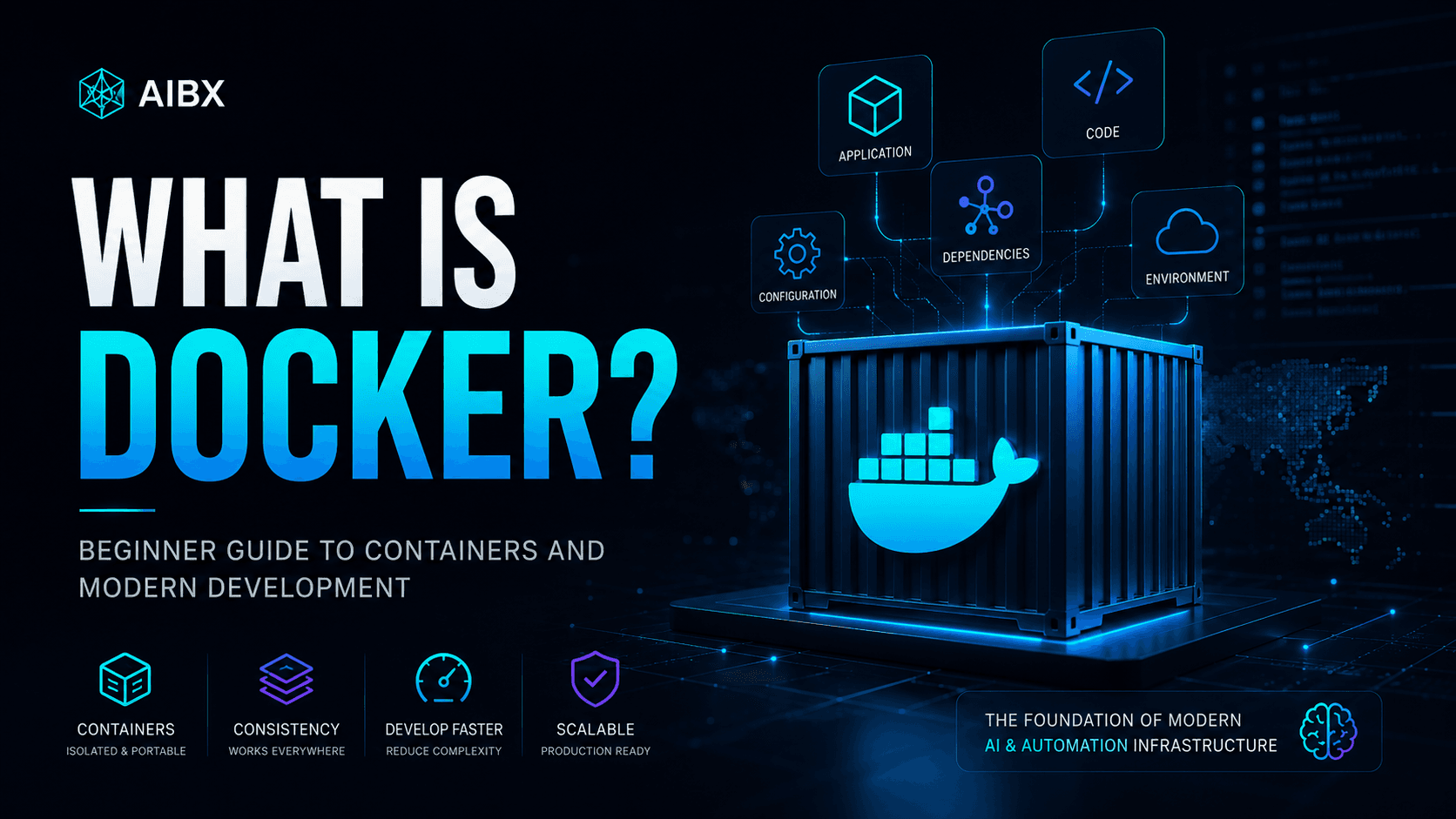
Docker is a platform for packaging software into containers: lightweight, portable environments that include an application and the dependencies it needs to run. Instead of hoping every computer is configured the same way, Docker lets teams define the environment around the software.
That matters because modern software rarely runs alone. A useful application may depend on a specific version of Python, a database, a queue, an API server, a vector database, background workers, and configuration that must behave predictably across laptops, test systems, and production infrastructure.
For AI teams, Docker has become especially important. Local models, agent frameworks, self-hosted AI tools, vector stores, and workflow automation platforms often require several services working together. Docker gives those systems a repeatable foundation.
Free Download
Docker Beginner Cheat Sheet
Keep the core Docker concepts, container terms, and beginner command patterns handy while you work through the guide.
What Is Docker?
Docker is a tool that helps developers package and run software in a consistent environment. The main idea is simple: instead of only sharing application code, you also share the environment the application expects.
A Docker container can include the application, runtime, system libraries, environment settings, and supporting files needed to run that application. When someone else runs the same container, they are not rebuilding the environment by hand. They are starting from the same packaged system.
This is why Docker is often described as a portability layer for software. It helps reduce the gap between one developer laptop, another developer laptop, a test server, and a production server. The goal is not magic. The goal is consistency.
What Is Containerization?
Containerization is the practice of running software inside isolated environments called containers. Each container has its own view of the files, libraries, processes, and network settings it needs, while still sharing the underlying machine more efficiently than a full virtual machine.
The classic analogy is the shipping container. Before standardized containers, cargo was loaded in many different shapes and formats. Moving goods between ships, trains, and trucks was slow and inconsistent. Standard containers changed the logistics system because infrastructure could be built around one predictable format.
Docker brought a similar idea to software. A container gives teams a standard package that can move between environments. The developer does not need to ask whether the server has exactly the right dependency versions installed. The environment travels with the application.
Docker vs Traditional Installations
Traditional software setup often means installing tools directly on your computer. You install Node.js, Python, PostgreSQL, Redis, system packages, command-line tools, and configuration files. This can work for one project. It becomes harder when you support many projects with different requirements.
This is where the familiar phrase "it works on my machine" comes from. One person has the right version installed. Another person has an older version. A third person has a conflicting system library. The software is the same, but the environment is different.
| Area | Traditional Install | Docker Approach |
|---|---|---|
| Setup | Each developer installs runtimes, databases, and tools directly on their machine. | The environment is defined once and reused across machines. |
| Dependencies | Different projects can fight over versions of Node, Python, databases, or system libraries. | Each container keeps its own dependencies isolated from the host system. |
| Team onboarding | New developers often follow long setup documents and troubleshoot local differences. | A project can start from a repeatable container definition. |
| Production parity | Local development can drift away from staging or production. | Teams can run environments that are much closer to production behavior. |
Docker does not remove every setup problem, but it changes the shape of the problem. Instead of asking every person to manually recreate an environment, the team maintains a shared definition of that environment.
Docker Images vs Containers
Two Docker terms matter immediately: images and containers. A Docker image is the packaged blueprint. A Docker container is a running instance created from that blueprint.
A simple analogy is a recipe and a cooked meal. The image is the recipe: it defines what should exist and how the environment should be assembled. The container is the cooked meal: an active running version created from that recipe.
Images are reusable. You can build an image once and run many containers from it. You can also download prebuilt images from registries such as Docker Hub. That is why developers can start a database, cache, web server, or AI tool without installing every internal dependency manually.
Why Developers Use Docker
Developers use Docker because software systems are easier to trust when environments are repeatable. A project that starts cleanly in a container is easier to share, test, debug, and deploy.
The first benefit is consistency. A team can define the application environment once and reuse it across local development, staging, and production. That reduces hidden differences between machines.
The second benefit is isolation. One project can use one version of a database while another project uses a different version. One Python project can depend on a specific package stack without polluting the rest of the system. Containers keep project requirements cleaner.
The third benefit is speed. New team members can often start a project faster because they do not need to manually install every dependency. Instead of a long setup document, the project can provide a Dockerfile or Docker Compose configuration.
For enterprise teams, these benefits compound. Docker supports onboarding, repeatable testing, production parity, security review, and infrastructure automation. It turns local setup from a personal ritual into a system that can be reviewed and improved.
Why Docker Matters for AI
Docker is especially important in AI infrastructure because AI systems often combine many moving pieces. A working AI workflow may need a model server, an application server, a database, a vector store, a queue, file storage, evaluation tools, and monitoring. Each part may have its own dependencies.
Local AI environments are a clear example. Tools such as Ollama, Open WebUI, Flowise, LangFlow, Qdrant, and Weaviate are powerful, but they become much easier to test and operate when each component can run in a predictable container.
This matters for AI agents as well. An agent is rarely just a model. It may call tools, search documents, write to a database, trigger automations, inspect files, and run background jobs. Docker helps isolate those services so the workflow can be developed, tested, and scaled with more control.
At enterprise scale, Docker also supports reproducibility. If an AI workflow produces business-critical outputs, teams need to know what model service, database version, dependency stack, and runtime configuration were involved. Containers make that operational story easier to manage.
What Can You Run With Docker?
Docker can run a wide range of infrastructure and application components. For beginners, it is helpful to think of Docker as a way to start services without turning your laptop into a permanent museum of installed tools.
Docker on Windows vs Mac
Docker was built around Linux container technology. On Linux, containers can run directly on the host operating system. On Windows and macOS, Docker Desktop provides the bridge that makes this practical for everyday development.
On Windows, Docker Desktop commonly uses WSL2, the Windows Subsystem for Linux, to provide a Linux backend. On macOS, Docker Desktop uses a lightweight virtualization layer. In both cases, the goal is to let developers work with Linux containers without manually managing a separate Linux server.
This article is not an installation guide, but this distinction helps explain why Docker Desktop is often the starting point for beginners on Windows and Mac. The next step in the learning path is installing Docker correctly and confirming that containers can run locally.
The Docker Ecosystem
Docker Engine
The core runtime that builds images and runs containers on a machine.
Docker CLI
The command-line interface developers use to build images, start containers, inspect logs, and manage Docker resources.
Docker Desktop
The desktop application that makes Docker practical on Windows and macOS by providing a local Linux-backed container environment.
Docker Hub
A public registry where teams can find and publish prebuilt images for databases, tools, frameworks, and infrastructure components.
Docker Compose
A way to define and run multi-container applications, such as an app plus a database, vector store, and background worker.
Volumes
Persistent storage that lets important data survive after a container is stopped, removed, or recreated.
The Bigger Picture
Docker became foundational because modern software moved from single applications to distributed systems. Applications now depend on APIs, databases, queues, background workers, object storage, model services, search systems, and observability tools. Infrastructure became part of the product.
Containers gave teams a practical way to standardize those moving parts. That standardization helped shape cloud-native development, continuous integration, automated deployment, and eventually orchestration platforms such as Kubernetes.
Kubernetes is often described as a system for managing containers at scale. Beginners do not need to learn Kubernetes before learning Docker, but the relationship matters: Docker teaches the packaging model that much of modern infrastructure builds on.
For AI infrastructure, this bigger picture is becoming even more important. Teams are not only deploying websites. They are deploying model endpoints, retrieval systems, agent runtimes, evaluation services, automation workflows, and internal tools. Docker provides the foundation for making those systems portable, inspectable, and easier to operate.
Common Beginner Misunderstandings
Docker is not the same thing as a virtual machine. Containers are usually lighter because they share the host operating system kernel instead of booting a full guest operating system for every application.
Docker is also not only for DevOps specialists. Developers use it to run databases, test applications, share environments, and avoid cluttering their machines with project-specific dependencies.
Finally, Docker is not a replacement for understanding your system. It makes environments more repeatable, but teams still need to understand networking, storage, configuration, secrets, resource usage, and security as their systems mature.
What Comes Next?
The best next step is practical: install Docker on Windows or Mac, run a basic container, and learn how Docker Desktop, the Docker CLI, images, containers, and volumes fit together.
From there, the learning path expands naturally into Docker Compose, self-hosted AI tools, local model workflows, vector databases, container networking, and eventually orchestration. This article is the foundation for that path.
For AIBX, Docker is part of a larger infrastructure story: AI workflows become more valuable when they are repeatable, observable, secure, and built on systems that teams can actually operate.
Turn insight into workflow
Need help applying this inside real operations?
AIBX helps individuals and teams turn AI knowledge into governed workflows, reusable prompts, and practical implementation systems.
Related Articles
Continue Reading
Technology Systems & Infrastructure
How to Install Docker on Windows and Mac (2026 Guide)
Learn how to install Docker on Windows and Mac, including Docker Desktop, WSL2, Docker Compose, verification steps, and modern AI development workflows.
Workflows & Automation
AI Agents Explained for Business | AIBX
Learn how AI agents work, how they differ from chatbots, and how businesses use them for automation and operational workflows.
AI Coding
Learn Python for AI Automation | AIBX
Learn Python for AI automation, APIs, and workflow systems with beginner projects, examples, and a practical learning path.
Technology Systems & Infrastructure
What Is Terraform? Infrastructure as Code Explained
Learn what Terraform is, how Infrastructure as Code works, and why it matters for DevOps and cloud automation.