

Stop Burning Through Claude Tokens
Learn how structured workflows and prompt optimization improve Claude efficiency and reduce wasted token usage.
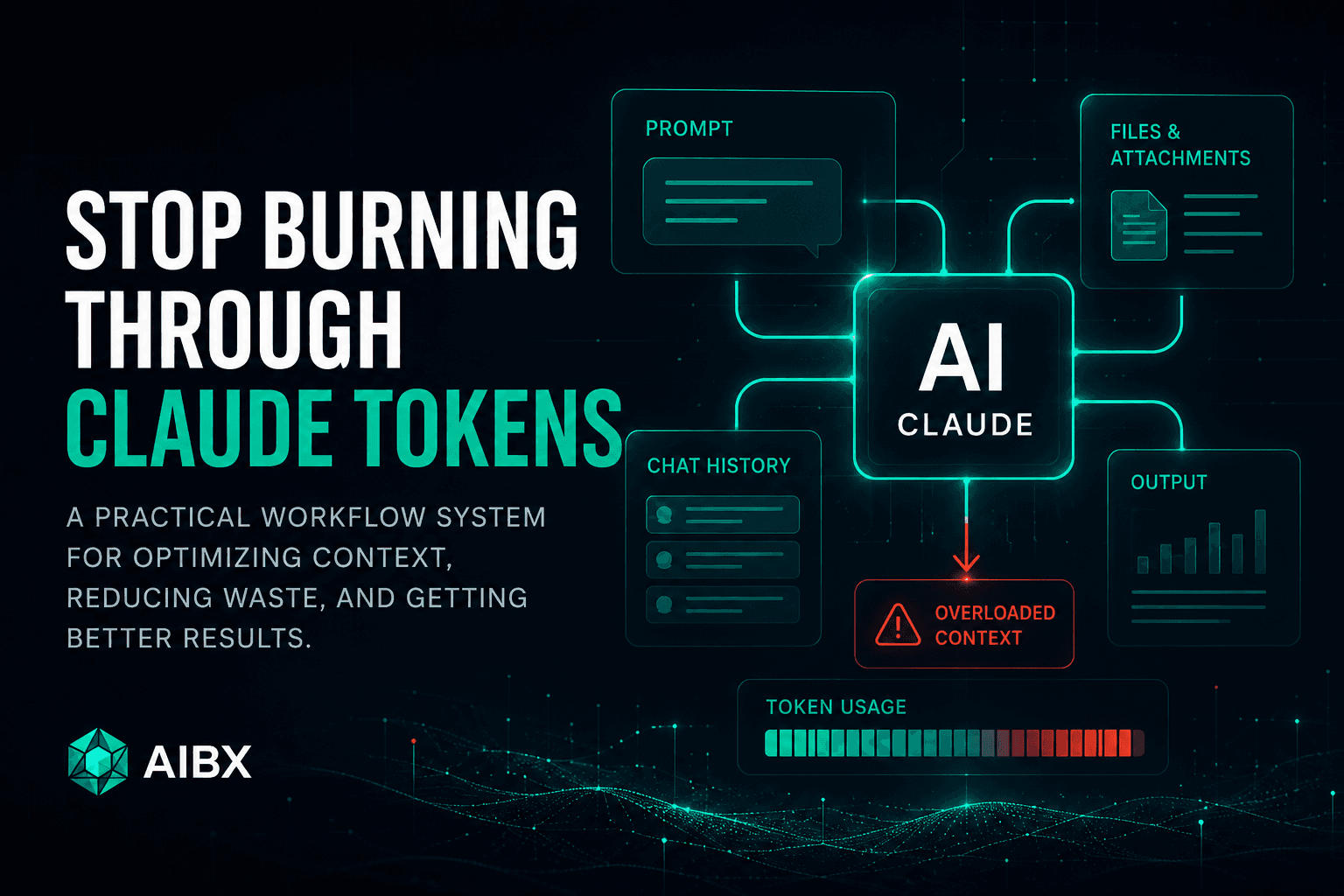
Claude token problems are often framed as a model limitation, but in real production workflows the bigger issue is usually workflow architecture.
Long conversations accumulate prompts, attachments, prior answers, formatting rules, corrections, and decisions that may no longer be relevant. Over time, the context becomes heavier and the workflow becomes harder to control.
The goal is not to stuff as much information as possible into one conversation. The goal is to give Claude the right context at the right time.
Core Principle
Token optimization is not just shorter prompts. It is better AI workflow design.
Video Breakdown
Watch the full Claude token workflow breakdown
The Real Problem
Why Claude conversations start to feel overloaded
A Claude conversation can begin clean and productive, then slowly become harder to manage as the chat grows. Responses may feel less focused, the prompt history becomes harder to reason through, and the active context begins carrying more information than the task requires.
This does not mean Claude is bad. It means the workflow needs cleaner structure.
Context Management
More context is not always better
A larger context window can be valuable, but only when the information inside it is useful. If the context is filled with old mistakes, repeated instructions, outdated decisions, and unrelated notes, Claude has to process more noise.
Efficient workflows preserve signal and remove clutter.
Token Basics
What Claude has to process in a conversation
Prompt
Part of the active context Claude may need to consider when generating a useful response.
Chat history
Part of the active context Claude may need to consider when generating a useful response.
Files + attachments
Part of the active context Claude may need to consider when generating a useful response.
Output
Part of the active context Claude may need to consider when generating a useful response.
Token usage is influenced by message length, conversation length, uploaded materials, model choice, feature usage, and how much output Claude is asked to generate. That is why a clean workflow can matter as much as the prompt itself.
Common Mistakes
The biggest Claude token-wasting patterns
Mega-prompts
Asking Claude to plan, write, format, summarize, create visuals, generate SEO metadata, and build multiple deliverables in one request creates unnecessary context overhead.
Long-running chats
A conversation that keeps changing direction can accumulate stale context, old decisions, and unrelated instructions that no longer help the current task.
Repeated instruction blocks
Reusable rules are useful, but pasting large instruction sets repeatedly can waste active context when only a few constraints are needed.
Too many active files
Claude can work with documents and attachments, but every active file adds more information for the model to process.
Oversized output requests
Asking for final drafts, summaries, checklists, SEO copy, and social posts all at once usually creates more output than the workflow actually needs.
AIBX Workflow System
Use Claude as a modular workflow system
The strongest shift is to stop treating Claude like one giant conversation and start treating it like a modular workflow system.
Instead of one chat for the entire project, each phase should have a clear job: outline, draft, QA, revise, format, publish, or summarize.
- 01. Create the outline.
- 02. Write one section.
- 03. QA the output.
- 04. Compress the approved context.
- 05. Move into the next focused task.
Context Compression
Carry forward decisions, not the entire conversation
Context compression is the practice of summarizing only the information that still matters before starting a new phase.
This helps preserve the approved direction while removing old drafts, failed attempts, repeated instructions, and unnecessary discussion history.
Summarize this project in 10 bullets. Keep only the final decisions, approved structure, style rules, constraints, and next steps.
Practical Strategy
Practical ways to reduce wasted Claude context
Start with a plan
Ask Claude for a short outline or execution plan before requesting a large deliverable.
Use one job per chat
Keep each conversation focused on a specific task, such as outlining, drafting, QA, or formatting.
Separate planning from generation
Let Claude think through structure first, then generate the final section after the plan is approved.
Set output limits
Use constraints like “return only the revised section” or “keep this under 500 words.”
Compress context
Summarize only the important decisions before moving into a fresh chat or next project phase.
Upload selectively
Only attach files that are required for the current task instead of carrying every project asset forward.
Model Selection
Choose the right Claude model for the task
Haiku
Fastest + efficientBest for summaries, outlines, formatting, lightweight rewriting, quick drafting, and repetitive production tasks.
Sonnet
Best overall balanceStrong for writing, scripting, moderate coding, research, workflow planning, and most everyday Claude workflows.
Opus
Deep reasoningBetter reserved for complex reasoning, advanced coding, architecture planning, troubleshooting, and deeper analysis.
Extended Thinking
Use selectivelyUseful for difficult logic and deep problem solving, but unnecessary for simple formatting, drafting, or quick edits.
Workflow Comparison
Before vs. after Claude workflow design
| Token-heavy workflow | Optimized workflow |
|---|---|
| One giant project prompt | Small staged workflow prompts |
| Long overloaded conversation | Focused chats by task |
| Repeated instruction blocks | Short reusable constraints |
| All files active at once | Only relevant files attached |
| Massive final output requests | Specific section-level outputs |
| Old context carried forward | Compressed summaries between phases |
Final Takeaway
Better AI productivity comes from better workflow systems.
Claude is powerful, but it works best when context is managed intentionally. The future of AI productivity is not bigger prompts. It is better workflow architecture.
Turn insight into workflow
Need help applying this inside real operations?
AIBX helps individuals and teams turn AI knowledge into governed workflows, reusable prompts, and practical implementation systems.
Related Articles
Continue Reading
AI Tools & Platforms
Understanding Claude Models: Speed, Reasoning & Tokens
A systems-level breakdown of Claude models, including Haiku, Sonnet, Opus, token usage, context windows, latency, and reasoning tradeoffs.
Comparisons & Buying Guides
Claude vs ChatGPT for Business | AIBX
A practical enterprise comparison of Claude and ChatGPT across writing, coding, reasoning, workflow automation, and business adoption.
Workflows & Automation
AI Agents Explained for Business | AIBX
Learn how AI agents work, how they differ from chatbots, and how businesses use them for automation and operational workflows.
AI for Everyday Life
Use AI to Make Halloween Spookier at Home and Work
Use AI to plan a safer Halloween, create better activities, and reduce repetitive work without sharing sensitive personal or company data.